Delete Filters
If a filter is no longer required it can be deleted.
- Right click on the Filter
 button.
 - Select Delete
 next to the filter you wish to remove
The filter is removed.
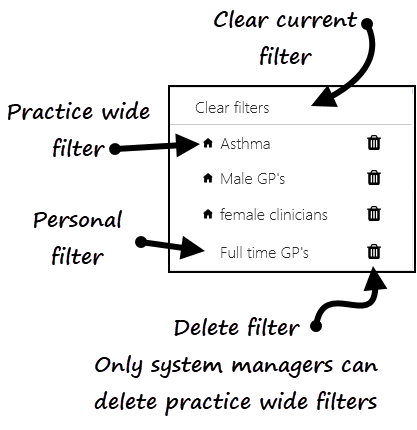
Note - Practice Wide Filters  can only be deleted if you have admin rights.
can only be deleted if you have admin rights. See - Applying or Editing Filters and Saved Filters.
Note - To print this topic select Print in the top right corner and follow the on-screen prompts.
in the top right corner and follow the on-screen prompts.

